Tutorial & knowledge creators
Record on your second display, let auto-zoom follow the clicks, add local subtitles, and publish the same video to six platforms in one go.
LOCAL-FIRST CREATOR STUDIO FOR MAC
Iceonix turns screen recordings into polished videos with smooth auto-zoom, adds subtitles and voice-over on your Mac, and publishes to every major platform through your own Safari. Writing and planning? Let the AI assistant you already use drive Iceonix.
Screen, app, region, camera or iPhone
Auto-zoom, cursor, background, cuts
Local transcription and voice cloning
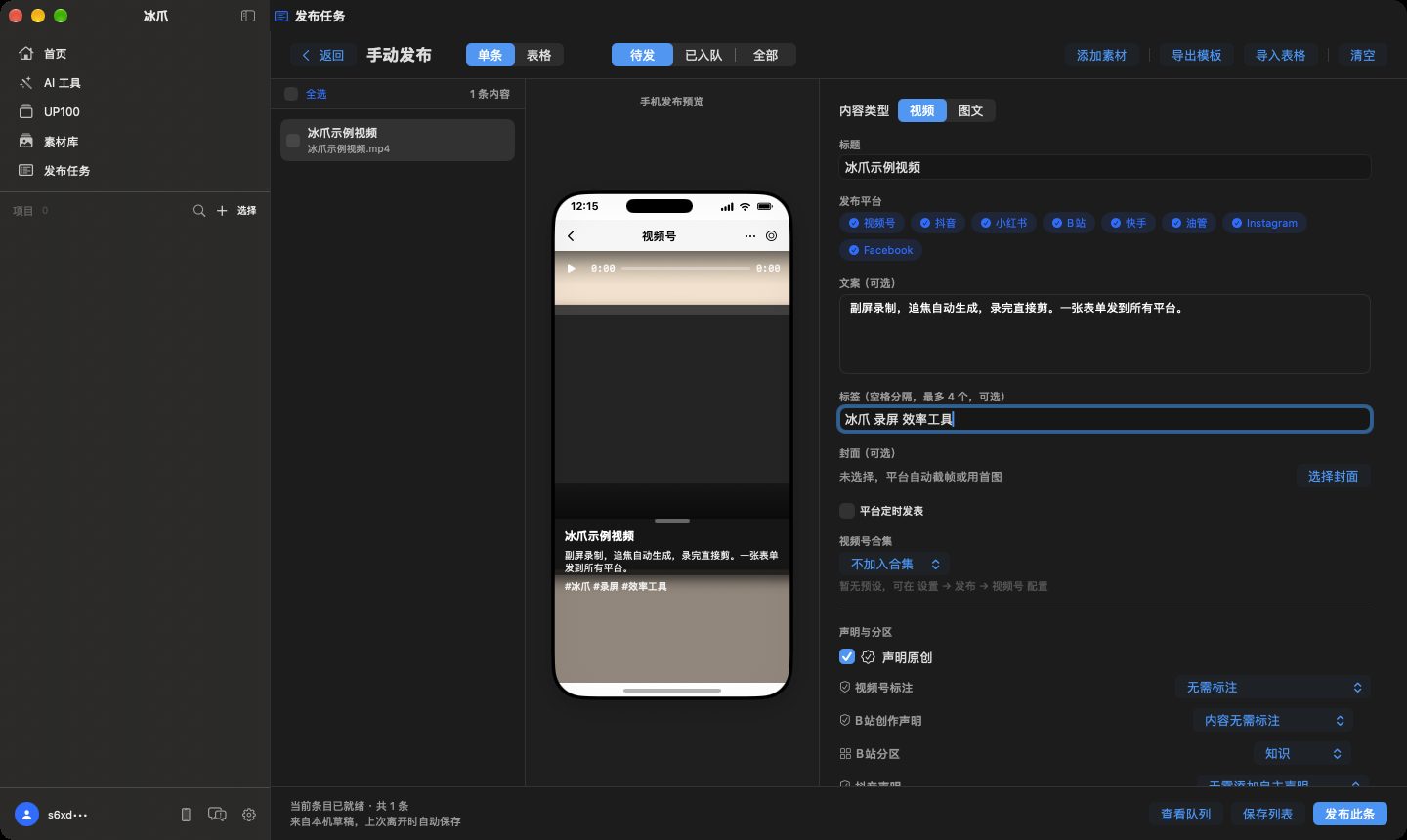
8 platforms, one form, real Safari
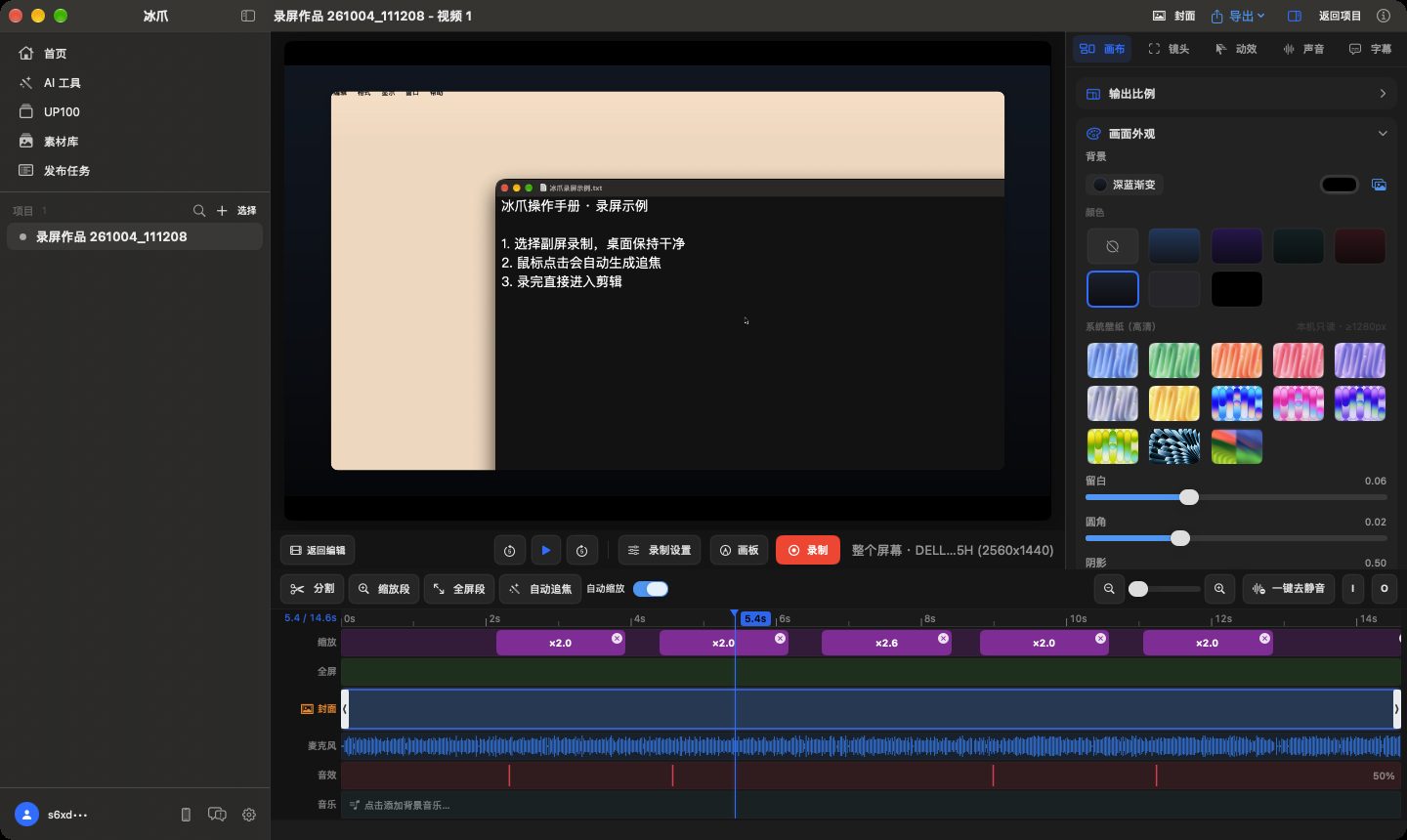
RECORD & EDIT
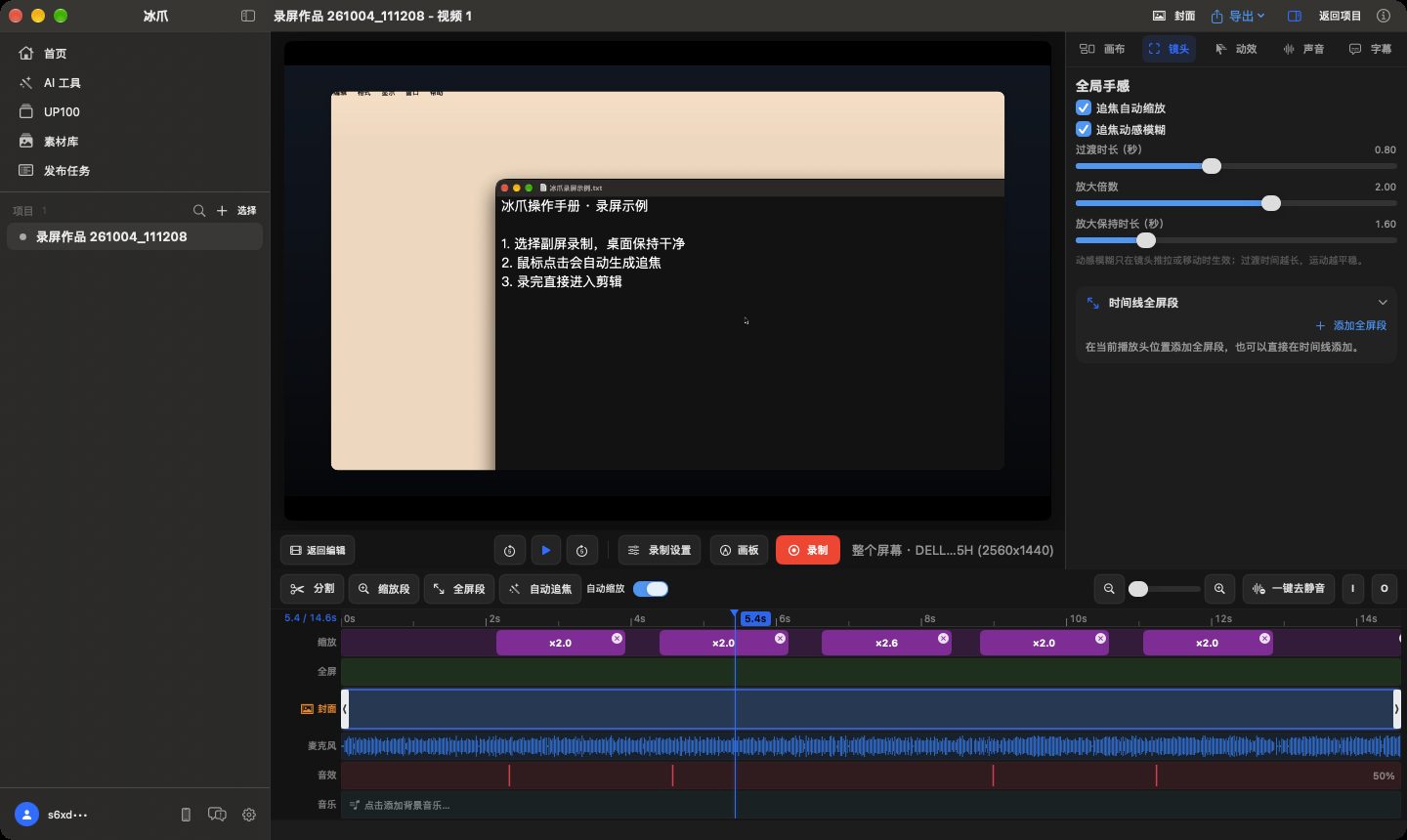
Iceonix records the screen and your mouse as separate tracks, then builds smooth zoom-and-pan from your clicks. No keyframes to draw by hand.
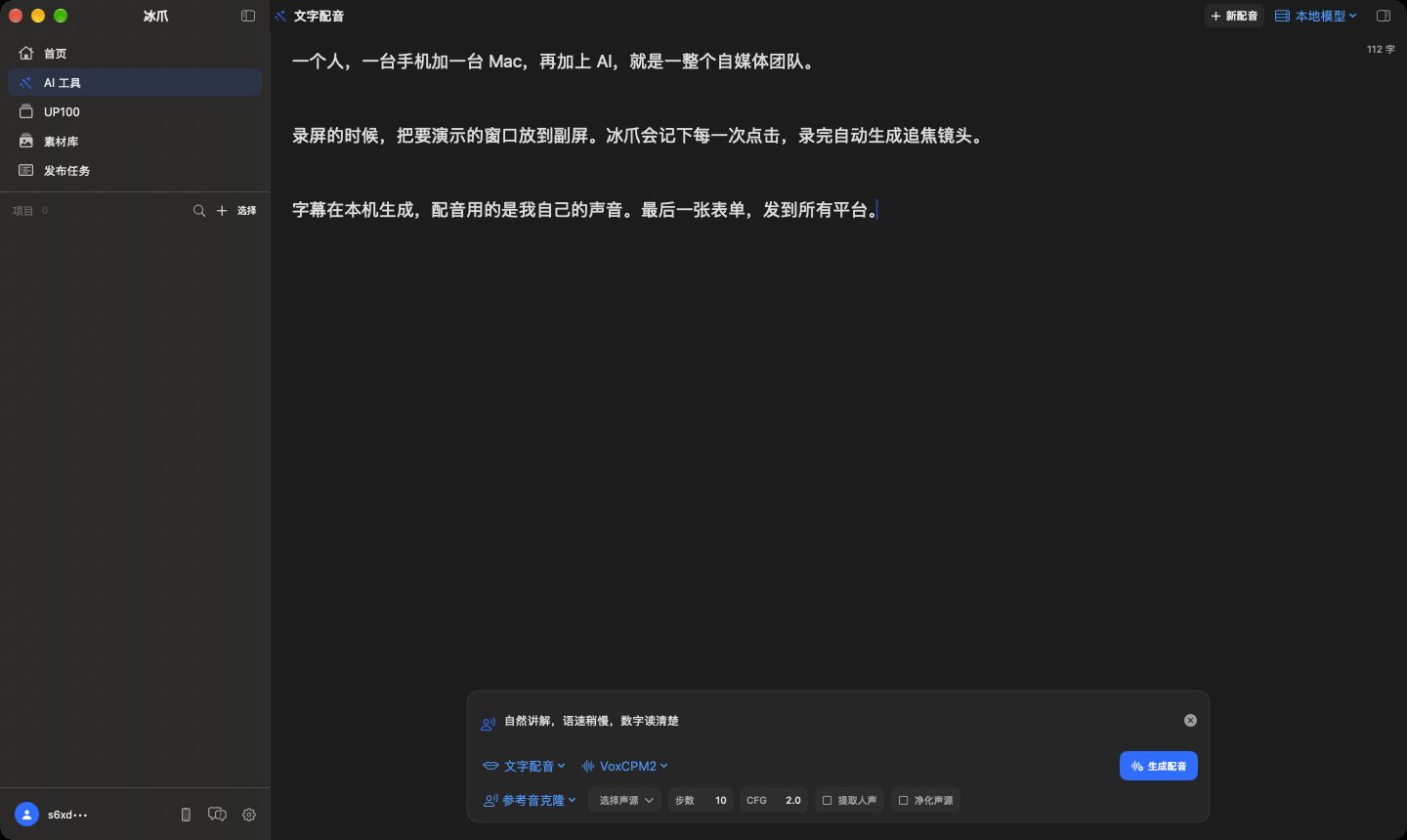
SUBTITLES & VOICE
Transcribe with Qwen3 running on your Mac, generate final subtitles that match your cut, and voice scripts in your own cloned voice.
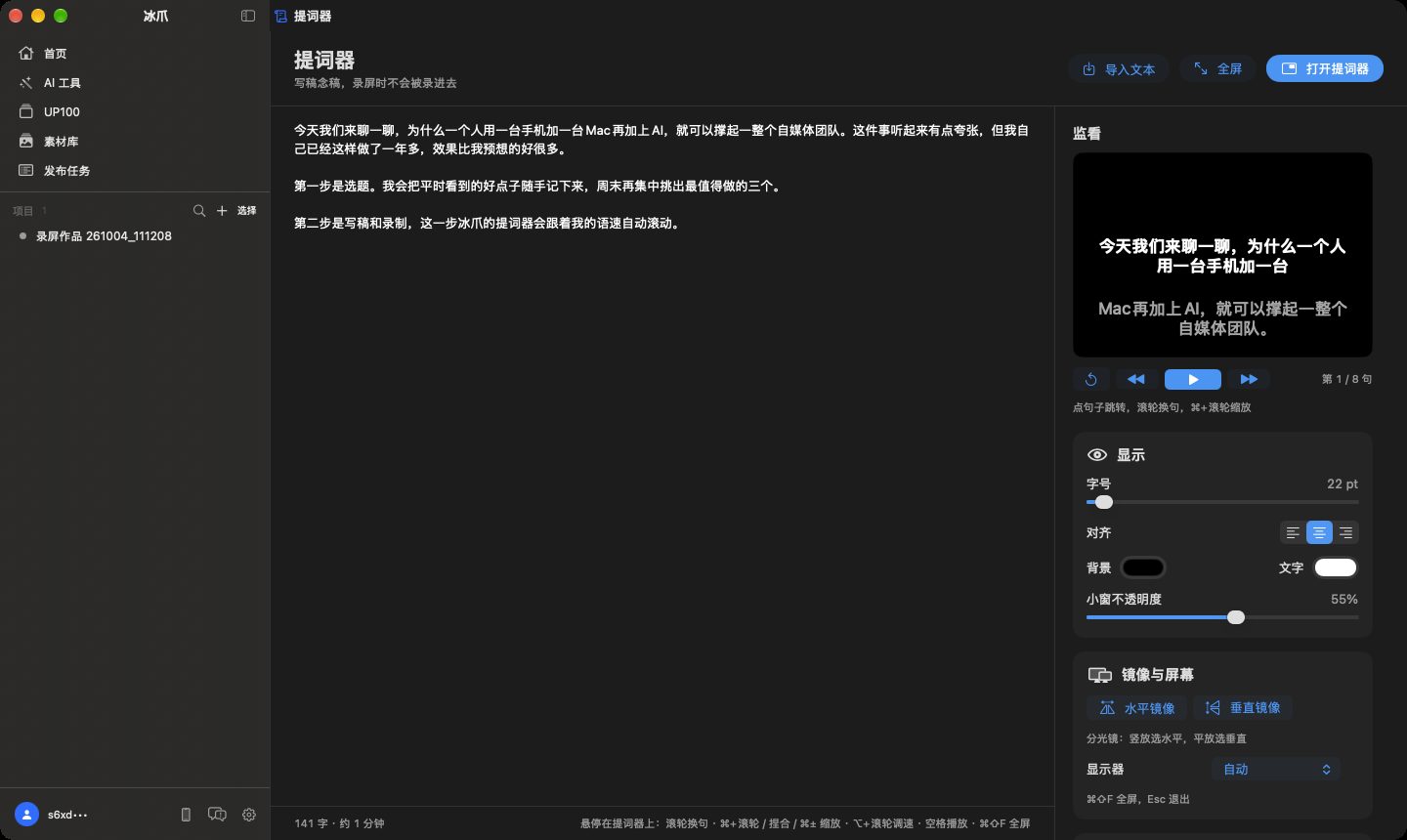
WRITE & TELEPROMPT
Every project holds Markdown documents with version history. Read them from a teleprompter that follows your voice, or format them as WeChat articles.
PUBLISH
Fill in the title, caption and declarations once. Iceonix uploads through your real Safari sessions, one platform at a time, and tells you exactly what happened.
HAND IT TO AI
Iceonix has no built-in chat. Connect Codex, Claude Code, Claude Desktop, WorkBuddy or Hermes in one click, then just say what you need. Real publishing always waits for your confirmation.
Template videos: your AI writes the storyboard, Iceonix syncs it to the beat, voices it, aligns subtitles word by word and mixes narration over music automatically.
Template video
“Make a 40-second vertical intro for this feature with this music.”
Fix subtitles
“Check my latest video's subtitles and fix the product names.”
Publish
“Post this video to Douyin, Xiaohongshu and Channels.”
Article
“Turn this project into a WeChat article.”
Hand-off to phone
“Send this script to UP100 so I can shoot on my phone.”
Trends
“What topics went viral in AI this week?”
WeChat Channels
VerifiedDouyin
VerifiedXiaohongshu
VerifiedBilibili
VerifiedKuaishou
VerifiedYouTube
VerifiedWeChat Moments
VerifiedWeChat Official Account
Drafts onlyWeChat Official Account articles and image posts are saved as drafts. You send the final broadcast yourself.
Record on your second display, let auto-zoom follow the clicks, add local subtitles, and publish the same video to six platforms in one go.
Write the script, read it from a teleprompter that follows your voice, cut the silences, and send it out with per-platform declarations filled in.
No footage? Ask your AI for a beat-synced template video from screenshots and copy, then publish it with Iceonix.
Download the DMG, sign in, and allow screen recording, microphone and Safari automation for what you use.
Click Record on the home screen, pick your second display, and Iceonix opens the editor when you stop.
Log in to each platform in Settings, try a dry run, then publish for real. Connect your AI any time.
LOCAL FIRST
Projects live in a folder you choose (~/Movies/Iceonix by default), on your NAS, or in the UP100 iCloud workspace. Local models run offline. Platform logins stay in your Safari and WeChat. The account service only checks your license — it never sees your videos, scripts or sessions.
HUMAN IN CONTROL
Iceonix 0.10.3 for Apple Silicon Mac, macOS 15 or later.
UP100 (GoodTake) is an optional iPhone companion for shooting on the go. Iceonix works fully on its own.